Execute query

API that allows querying the database directly. Please note that each request must be authenticated.

Copy definition

You can use the View API call definition option available in Analytics module in each report to get more usage examples based on your existing reports.
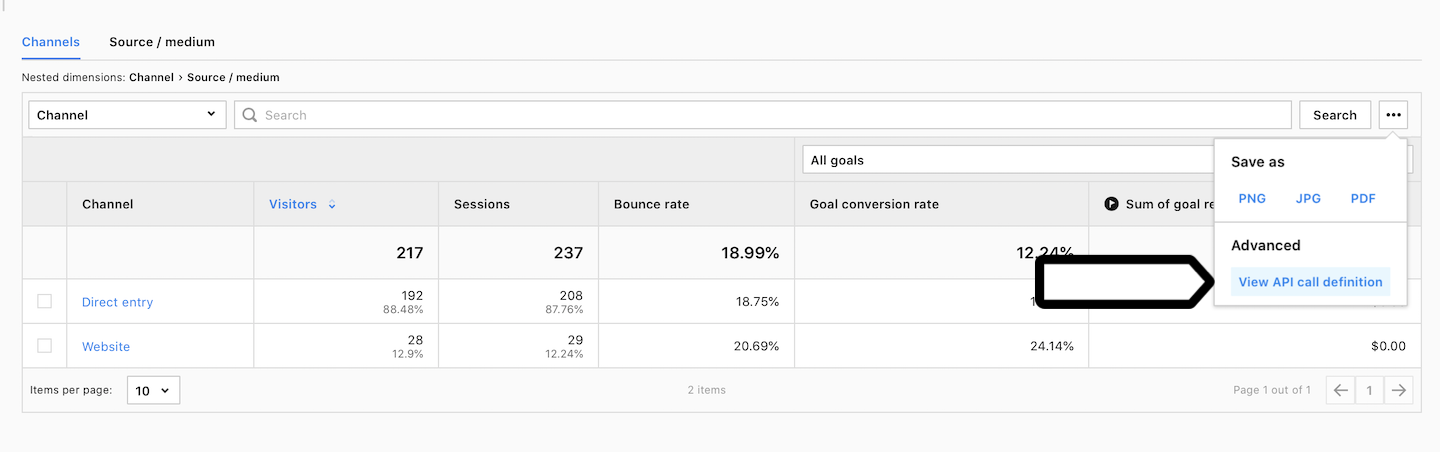
View API call definition

Compression

When requesting large amount of data, make sure to include an Accept-Encoding: gzip header to enable compression.

Cache

Please note that all query results are cached for 10 minutes.

Recent Requests
Log in to see full request history
TimeStatusUser Agent
Retrieving recent requests…
LoadingLoading…
Body Params
uuid
required

ID of a website or a meta site.

columns
array of objects
required

Column definitions for the query.

columns*

Cannot be used with relative_date field at the same time. Mandatory if relative_date is not used.

Cannot be used with relative_date field at the same time. Mandatory if relative_date is not used.

string
enum

Use relative date in query. Cannot be used with absolute date fields at the same time. X in last_X_days must be in range 1 <= X <= 365. Note that last_X_days does not include data from today. Mandatory if absolute date fields are not used.

Allowed:
filters
object

Dimension filters for the query. The top-level object must specify AND/OR clause, but any nested objects may either specify another AND/OR clause or a single filter.

metric_filters
object

Metric filters for the query. The top-level object must specify AND/OR clause, but any nested objects may either specify another AND/OR clause or a single filter.

integer
≥ 0
Defaults to 0

Number of rows to skip before beginning to return rows.

integer
1 to 100000
Defaults to 100

Number of rows to return.

order_by
array of arrays

Array of sorting directives. Each directive is a 2-element array with 0-based colum index and direction). You can sort on more than one column. By default sorts descending by the first metric in query.

order_by
string
enum
Defaults to json

Data format of a successful response (error responses are always in json).

Allowed:
string
enum
Defaults to id

Format of the columns header (in CSV responses) and metadata labels (in JSON responses). By default uses identifiers (id option), set to name to use human-readable names.

Allowed:
options
object

Additional options for query.

Responses

Language
Credentials
OAuth2
URL
LoadingLoading…
Response
Click Try It! to start a request and see the response here! Or choose an example:
application/json